
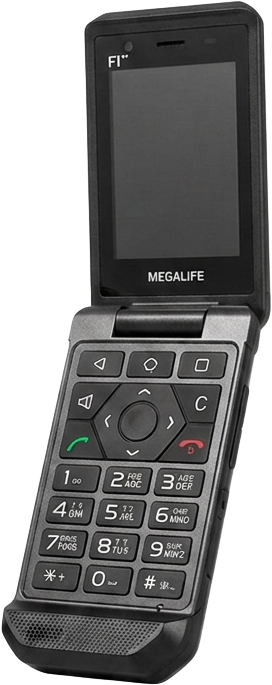
New · Megalife Plus
Your phone.
Plus.
Find it. Lock it. Shape it. The add-on for every F1 and B2 — and the filtering stays exactly as it is.
Plus feature in focus
Find Your Phone.
Imagine leaving your phone at the park. It happens to everyone.
Then you remember that you have Plus. You open your computer — and voilà! There it is.
Find Your Phone shows its location on a map — so you know where to look.
For parents
You stay in touch.
They stay focused.
Choose which apps stay on and the hours they work — from your own computer. Plus only ever adds restrictions. Nothing is loosened.

From your computer
Plus adds tools. It never adds noise.
Manage each phone from your personal area on mymegalife.com.
Find my device
See where the phone is on a map and ask it for a fresh position.
Lost mode
Lock a lost phone with a message and a number to call for whoever finds it.
Make it ring
Ring the phone from your computer to find it when it's nearby.
Choose the apps
Decide which of the phone's apps stay on, from your own computer.
App hours
Set the hours each app, or a whole category, works.
Extra restrictions
Block more on top of the filtering — SD card, video recording. Nothing is ever loosened.
Your own wallpaper
Put a family photo on the home or lock screen.
Every phone in the house
Add the family's phones to one subscription and manage them all in one place.
On the phone
Extra features inside the apps you already use.
Full device backup
Back up apps, settings, Wi-Fi and Bluetooth, and rebuild a new phone from it.
Seforim offline
Save whole books and sets once; read them later with no connection.
Calendar sync
Your events in the phone's calendar, and its calendars in the Hebrew calendar.
Zmanim in flight
Sunrise, sunset and zmanim along a flight, by its flight number.
Smart alarms
Alarms that ring before a zman — and smart alarms that ring only when the phone looks idle.
And plenty more good things on the way.
How it works
Ready in three steps.
- 1
Sign in with your email
Use the address you bought the phone with. We email a 6-digit code — no password to remember.
- 2
Add your phone
Enter the phone's device ID or IMEI to link it to your account.
- 3
Turn on Plus
Pay by card on a secure page, then choose which features to use. Cancel any month.
Already have a Megalife phone?
Sign in at mymegalife.com with the email you bought it with. Plus opens soon — sign in now and you'll see it there the day it launches.